Showing posts with label teaching game design. Show all posts

Friday, July 31, 2020

Six Pointers for VIRTUALLY Pitching to Publishers


In a previous post, I listed Six Pointers to Pitching Games to Publishers. That list is so 2019! It's 2020, baby! Times have changed! Everything is VIRTUAL!

So, you can't go to conventions to pitch your games. That doesn't mean you can't pitch your games! You can still pitch them VIRTUALLY! I've already pitched several games via Zoom and other video conferencing systems and while it is a bit tricky, it can be done. Here are SIX pointers for VIRTUALLY pitching your game via video conferencing.


1. Create a landing page: As you prepare for your pitch or if you want to give the publisher a "take-away" about your game, go virtual! Create a web page or blog site for your board game that shows a few images of the game in action, write a short blurb describing what's cool and unique about your game and describes the game play, and don't forget to list out the "3 essentials" (Player count, Player age and Play Time). Or you can post your sell-sheet on the web page. If you can afford it, try to secure an URL with the name of your game as the address.

You can also list your game on boardgamegeek.com - which allows you to upload photos of the game, set all of the essentials and even list the types of mechanisms that compose the game. You can upload your rule book or even print and play files.
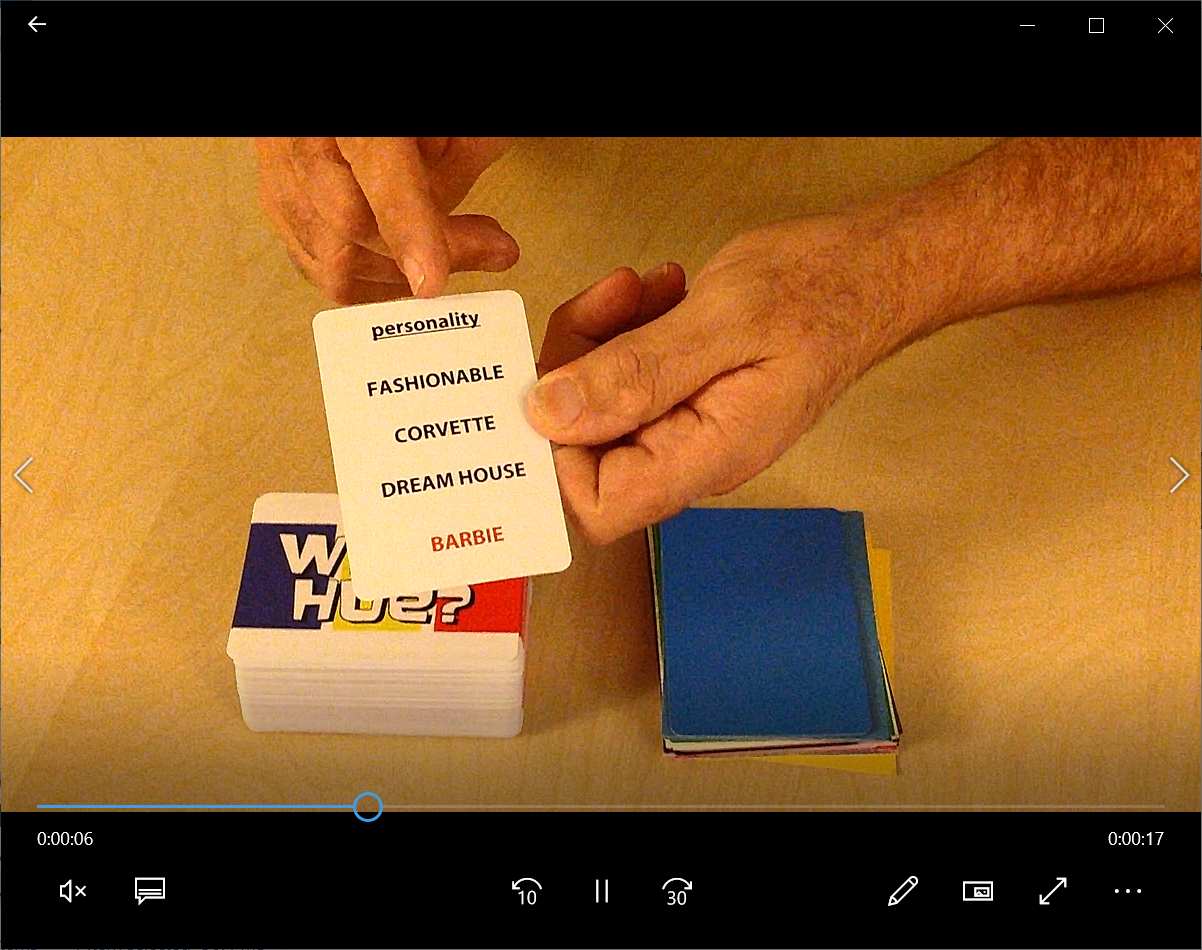

2. Make a video: In a recent panel at San Diego Comic Con, several game publishers said that the majority of the pitches they received recently were videos. This means that you are going to have to learn how to make a video if you want to pitch your game. Don't worry, making a video isn't as hard as you might think... as long as you are prepared.

First, you need to know what to say! Play out what you are going to do. Place pieces within easy reach. "top deck" cards if you have to. Make the game play the way that you want it to. Once you've figured out your "spiel", it helps to practice it a few times first. If you aren't good at improvising, then I suggest writing a script. No one cares if you are reading from a script, just try to make your delivery natural sounding.

Then you need a camera. Unless you already have a digital camera, then great but a cell-phone camera works fine too. Many designers shoot the game from their point-of-view. That's fine as long as you can concentrate on what you are shooting and remember to focus on the game. Don't let the camera drift away from the table or components. If you find you are no good playing a game and filming at the same time, then try to get someone to help you. Just make sure they know what you are doing so you can choreograph the camera with whats going on in the game.

When shooting your game, keep it short (3 minutes or less) but take your time. Skip extraneous details like backstory and just focus on what the player does. If you are going to show of a card or component in the game, make sure you linger on it for a moment so the viewer can properly see it. (I usually give myself a "three count" while filming.) Make sure you go through the key points of the game including how many players, how long it takes and how to win the game.

If you can shoot the demo in one sitting, that's fine. If you can edit, then even better. I wouldn't get too fancy. As long as the sound is clear and legible, you don't need music or sound effects unless it is part of the game. Keep away from visual effects too. You are trying to simulate the experience of playing the game in person, not make some flashy Hollywood trailer!

Don't make the publisher have to download the video. It's best to upload your video to a host site such as YouTube or Vimeo or even link it to your BGG listing for the game. You can then easily send them the link to that site for review.


3. Learn Tabletop Simulator: Many game designers have created prototypes in Tabletop Simulator or Tabletopia to test their games during the pandemic. While this is a great way to get "real live" people to play your prototype, be aware that making the virtual prototype is lot of effort and can get very frustrating without help. I have been wrestling with Tabletop Simulator since the start of the pandemic and I finally feel like I know what I'm doing.

The documentation for TTS isn't great, the interface is un-intuitive and you have to prepare files like cards individually rather than by pages - which might be different than how you might prepare them for print and play or production. I also had some size issues when importing in models based on the polygon count and rotation of the model, but thanks to the help from a few tech-savvy friends, I was able to translate my board game Rayguns and Rocketships to TTS.

Right now, I've been using TTS over Tabletopia as I already own it (it costs $19.99 on Steam) and it seems to be what the majority of players are using. Some of the better TTS tutorials I've found online are here:

General features: https://www.youtube.com/watch?v=-MfuHyBoJGE
Helpful user short-cuts: https://www.youtube.com/watch?v=5cjWpm9kj-I
Making a prototype in TTS: https://www.youtube.com/watch?v=4AZwP4pKoP4 - Ludolodge has several other tutorials that are all quite good. Check them out!

If you know of other virtual prototyping programs, please list them in the comments!
4. Get a second camera: That camera that is installed into your laptop is great when you are Zooming with Mom, but it's a real hassle to use when trying to show off your game prototype. This is why I strongly recommend investing in a second camera. Most video conferencing programs allow you to switch between cameras.

If you set up your secondary camera ahead of time to show off your game, then it will be very easy for publishers to see your game. Or you can swoop it down close to show off the information on a card or some other component.

USB cameras are stupidly inexpensive right now. You can buy one on Amazon.com from $20 to $70 depending on quality and durability. Or you can do what I did, convert your Playstation's EyeToy camera into a USB one by downloading this free driver: https://download.cnet.com/EOCP-Driver-for-Sony-Eyetoy-USB-Camera/3000-2120_4-10532564.html

Just be aware that some video conferencing systems allow for easier switching of video sources than others. I've had great success with Zoom but haven't been able to switch cameras in Microsoft Teams.


5. Set-up in advance: I find it very helpful to have your game prototype set up in advance of the call. Take a half-hour ahead of the call to set up the game as if a few rounds have already been played. But make sure to "stack the deck" ahead of time to show off the game's best features.

You might want to set up more than one game, that way if you get done faster than you anticipated, you will have the other game ready to show. And if there isn't time to show any game, at least you were prepared.

6. The other things still apply: All of the pointers I shared in the previous post still apply - you are still pitching your game to a publisher, you just happen to be once removed.

Good luck and happy pitching!

Tuesday, April 23, 2019

The importance of sell-sheets


I'm starting to create my sell-sheets for the upcoming tabletop convention season and I realized that many of you might not realize how important they are in the world of tabletop game design... or even what sell-sheets are.

Sell-sheets are kind of like the one-pager document that you'll find in my book Level Up! the Guide to Great Video Game Design - these documents act as a touchstone for the design team (or designer) to remind them what is important about the game. But sell-sheets are much more than that.

Sell-sheets act as a promotional tool for the game - a game's resume as it were - that lets the reader know what's cool about the game. But it also provides vital information to a potential publisher - which helps them determine the game's genre, cost, play time, player age, and more.

A printed sell-sheet is a "leave-behind" for the designer to give to publishers at conventions.  They even are used as the first stage entry in many tabletop design contests.

Here are a few examples of sell-sheets that I've created over the years:


You'll notice that all of these sell-sheets have many elements in common. Let's take a look at what your sell-sheet needs.

1) Your game's title: Every game needs a title and yours is no different. Make sure you check Google and BoardGameGeek.com's database to make sure you aren't naming your game after something that already exists. I try to create the logo of the game on the sell-sheet. Fonts go pretty far to give a game an identity and get the game's genre across to the reader.

2) The "three essentials": Number of Players, Minimum Age of Players and Time it Takes to Play your game. These three pieces of information are critical to have on your sell sheet as it informs the publisher of many things about your game and whether they will want to publish it or not. For example, some publishers won't make games for two players, while others specialize in them.

3) Game play overview: A brief overview of how to play the game and how to win the game. Keep this as brief as possible, no more than a sentence. If you can't describe your game play in a sentence, you might have a problem.

4) Game photos: Show at least one photo of the game in action, preferably with it set up to show what it is like to play. You don't always need to show players playing the game in your photos - but if you do, make sure they look like they are having a good time. Fake the shot if you have to. Nobody want to buy a game if your models don't look like they are enjoying themselves.

5) Game play description: Describe the action that is going on in the photos. Tell the reader how the game is played, what's cool and unique about the game play and why they would want to make it. Use short sentence or bullet-points to get this across. Once again, beware the blocks of text. I also think that "beautiful art" and "great story" are not valid bullet points. All games should have these (unless they are an abstract game)

6) Components List: This is a list of all of the components the player will get in the game. This is actually very important because they let the publisher know just how much your game will cost to make. Have hundreds of miniatures in your game? Some publishers might think twice or reject your game completely based on that. Others, might welcome it. (Knowing who you are pitching your game to is a very important part of the selling process.)

7) Your contact information: You should always include your name, e-mail address and/or phone number on a sell-sheet. Otherwise, how will the publisher be able to contact you when they are ready to buy your game? I also put my "studio's logo" on the sell-sheet. It gives me a little bit of a "brand identity" and makes me feel a little more professional. It's not necessary, but it's fun.

8) Graphics: Finally, make your sell-sheet look nice. You don't necessarily need pictures on your sell-sheet but if you are trying to create a mood or a theme, drawings, fonts, and graphics can go far. Even at a glance, you can tell that A Town Called Showdown is a western themed game while Rayguns and Rocketships is a pulp sci-fi game all because of the color, graphics and fonts I used on the sell-sheet. When dealing with fonts, don't forget the "two-font" rule. You should never use more than two styles of fonts on your documents: a "fancy" or thematic one for titles and headers and a simple font for the rest of the text. I am a big fan of simple, legible fonts like Calibri, Cambria and Helvetica Neue.

I hope this helps you understand why sell-sheets are so important and some ideas and guidance on how to create your own. Good luck and be sure to share your own sell-sheets in the comments below!

Thursday, April 28, 2011

What's a video game class about anyway?


Many of you have asked about this video game class I'm teaching at EARTHs school this week, so lucky you, I decided to give a SNEAK PREVIEW!

Week one - where to start? The students (or the "lucky 13" as I'm calling them) are going to begin with the basics - WHAT is a video game?


We're going to learn about WHO makes video games...


We're going to learn a little about the HISTORY of video games...


We're going to brainstorm some ideas for video games and then... we're GONNA PLAY SOME VIDEO GAMES! I'm looking forward to it!

Tuesday, April 26, 2011

I never had an afterschool class like this.

This week I finally start a project that I've been planning for almost two years... and I'm really nervous.


Back in 2009, my 7 year old daughter was taking an after-school animation course and I thought "How cool is that? I wish there had been an animation class when I was a kid." Which got me thinking if her school might be interested in a class on video game design?

The class wouldn't be just about making video games, but actually about the important things you do when making games like brainstorming, collaborating on ideas, giving constructive criticism, taking your dreams, putting it on paper and working together with others to bring those dreams to life.


Around the time I was musing with these ideas, I read about a program called HASTAC and the National STEM Game Design Competition - President Obama's initiative to get technology into schools via various means including Playstation 2 and a great game called LittleBigPlanet.


As a HUGE fan of LittleBigPlanet, I had been playing the game with my own two kids and was creating our own levels. I started researching how I could get a grant from the $2 million that the MacArthur Foundation was contributing to the HASTAC program.

However, after six months of being shuffled around by the people at HASTAC, the MacArthur Foundation and Sony (where I used to work) I still wasn't any closer to getting a start on the class or obtaining any equipment. When I finaly did talk to someone at HASTAC, they told me the program was actually a competition and not an on-going program. I must have missed reading that the first time around. And when I found out that the kid's school summer programs were being administrated by the local Parks and Rec (who required teachers to be trained educators - something I'm not) I thought the class was sunk.


Discouraged, I stopped pursuing the idea... until I was attending the San Diego Comic Con where two Sony marketeers were demoing the Marvel Comic add-on for LittleBigPlanet. I figured, what the heck, if anyone knew about the program, it would be these guys. The guys at the show didn't know much about the program but one of them gave me a number of someone from Sony Entertainment who did.

Upon returning from the show, I contacted the Sony marketing rep with the hopes of getting Sony to donate PS3, Monitors, Games - anything that would keep me from spending about 4G of my own cash (the estimated cost of the class.)

Sony was intrigued with the idea and very generously donated copies of the game LittleBigPlanet but couldn't help out with the hardware. The other burst of enthusiasm came when I talked to the Principal about the class and she wanted it to happen regardless of how the other after school classes were done - which means I didn't have to do it through Parks and Rec and I didn't have to be an "official" teacher. I had my green light and not long after, the games from Sony arrived! We were back on track!


Re-encouraged, I explored several user-donated programs like Kickstarter to raise the additional capital for the hardware - as I braced myself for some major fundraising, I received an e-mail from the school Principal - the local Time Warner was funding the class! The additional donation allowed us to buy monitors, PS3s and extra controllers and classroom supplies!

So as I write this, things are pretty much in place and I start class this Friday at EARTHs academy with thirteen 4th and 5th graders. I've given talks to hundreds of people with no problem, but this time I'm actually nervous. I hope they like the class. Today my daughter gave me this bit of advice: "Daddy, don't make the class boring."

I'll do my best.