Showing posts with label Zoom. Show all posts

Friday, July 31, 2020

Six Pointers for VIRTUALLY Pitching to Publishers


In a previous post, I listed Six Pointers to Pitching Games to Publishers. That list is so 2019! It's 2020, baby! Times have changed! Everything is VIRTUAL!

So, you can't go to conventions to pitch your games. That doesn't mean you can't pitch your games! You can still pitch them VIRTUALLY! I've already pitched several games via Zoom and other video conferencing systems and while it is a bit tricky, it can be done. Here are SIX pointers for VIRTUALLY pitching your game via video conferencing.


1. Create a landing page: As you prepare for your pitch or if you want to give the publisher a "take-away" about your game, go virtual! Create a web page or blog site for your board game that shows a few images of the game in action, write a short blurb describing what's cool and unique about your game and describes the game play, and don't forget to list out the "3 essentials" (Player count, Player age and Play Time). Or you can post your sell-sheet on the web page. If you can afford it, try to secure an URL with the name of your game as the address.

You can also list your game on boardgamegeek.com - which allows you to upload photos of the game, set all of the essentials and even list the types of mechanisms that compose the game. You can upload your rule book or even print and play files.
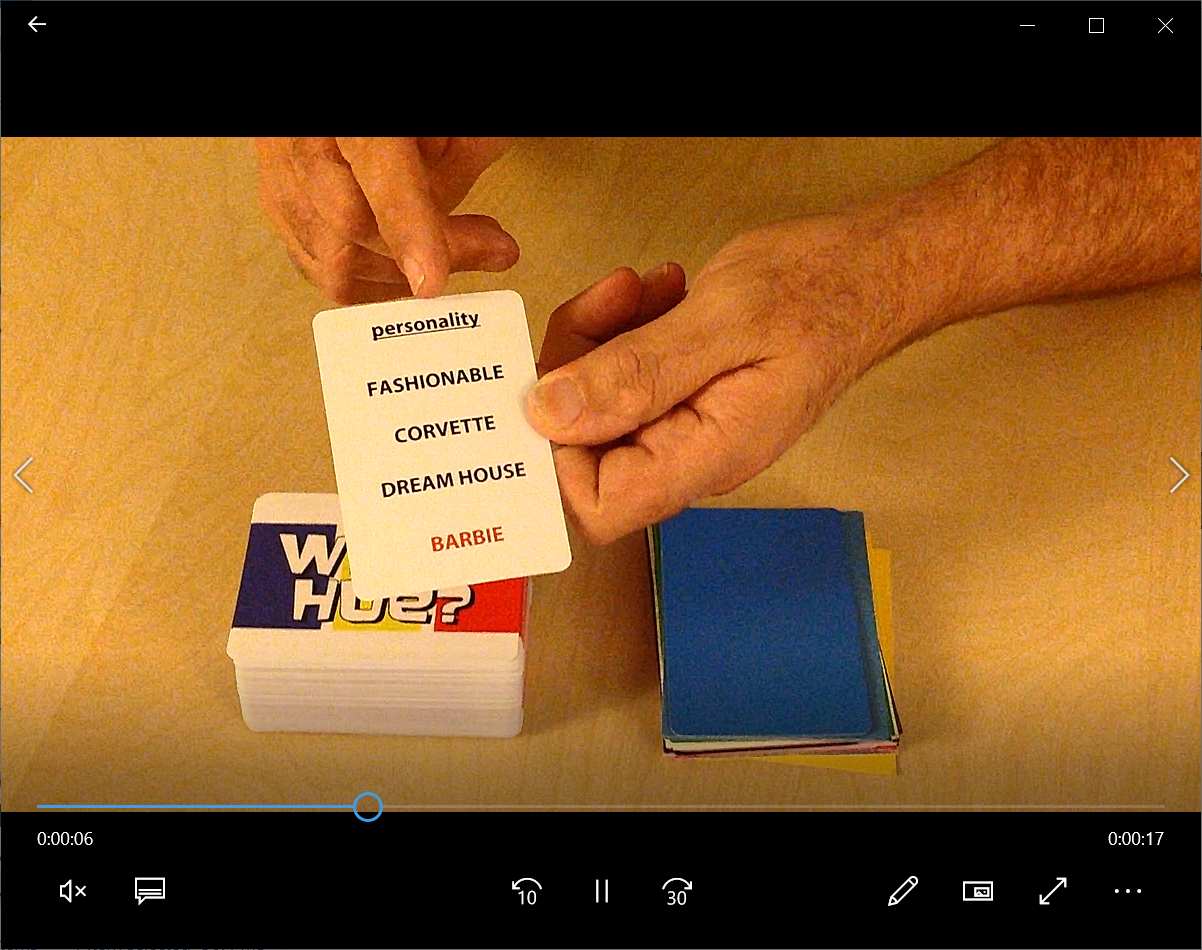

2. Make a video: In a recent panel at San Diego Comic Con, several game publishers said that the majority of the pitches they received recently were videos. This means that you are going to have to learn how to make a video if you want to pitch your game. Don't worry, making a video isn't as hard as you might think... as long as you are prepared.

First, you need to know what to say! Play out what you are going to do. Place pieces within easy reach. "top deck" cards if you have to. Make the game play the way that you want it to. Once you've figured out your "spiel", it helps to practice it a few times first. If you aren't good at improvising, then I suggest writing a script. No one cares if you are reading from a script, just try to make your delivery natural sounding.

Then you need a camera. Unless you already have a digital camera, then great but a cell-phone camera works fine too. Many designers shoot the game from their point-of-view. That's fine as long as you can concentrate on what you are shooting and remember to focus on the game. Don't let the camera drift away from the table or components. If you find you are no good playing a game and filming at the same time, then try to get someone to help you. Just make sure they know what you are doing so you can choreograph the camera with whats going on in the game.

When shooting your game, keep it short (3 minutes or less) but take your time. Skip extraneous details like backstory and just focus on what the player does. If you are going to show of a card or component in the game, make sure you linger on it for a moment so the viewer can properly see it. (I usually give myself a "three count" while filming.) Make sure you go through the key points of the game including how many players, how long it takes and how to win the game.

If you can shoot the demo in one sitting, that's fine. If you can edit, then even better. I wouldn't get too fancy. As long as the sound is clear and legible, you don't need music or sound effects unless it is part of the game. Keep away from visual effects too. You are trying to simulate the experience of playing the game in person, not make some flashy Hollywood trailer!

Don't make the publisher have to download the video. It's best to upload your video to a host site such as YouTube or Vimeo or even link it to your BGG listing for the game. You can then easily send them the link to that site for review.


3. Learn Tabletop Simulator: Many game designers have created prototypes in Tabletop Simulator or Tabletopia to test their games during the pandemic. While this is a great way to get "real live" people to play your prototype, be aware that making the virtual prototype is lot of effort and can get very frustrating without help. I have been wrestling with Tabletop Simulator since the start of the pandemic and I finally feel like I know what I'm doing.

The documentation for TTS isn't great, the interface is un-intuitive and you have to prepare files like cards individually rather than by pages - which might be different than how you might prepare them for print and play or production. I also had some size issues when importing in models based on the polygon count and rotation of the model, but thanks to the help from a few tech-savvy friends, I was able to translate my board game Rayguns and Rocketships to TTS.

Right now, I've been using TTS over Tabletopia as I already own it (it costs $19.99 on Steam) and it seems to be what the majority of players are using. Some of the better TTS tutorials I've found online are here:

General features: https://www.youtube.com/watch?v=-MfuHyBoJGE
Helpful user short-cuts: https://www.youtube.com/watch?v=5cjWpm9kj-I
Making a prototype in TTS: https://www.youtube.com/watch?v=4AZwP4pKoP4 - Ludolodge has several other tutorials that are all quite good. Check them out!

If you know of other virtual prototyping programs, please list them in the comments!
4. Get a second camera: That camera that is installed into your laptop is great when you are Zooming with Mom, but it's a real hassle to use when trying to show off your game prototype. This is why I strongly recommend investing in a second camera. Most video conferencing programs allow you to switch between cameras.

If you set up your secondary camera ahead of time to show off your game, then it will be very easy for publishers to see your game. Or you can swoop it down close to show off the information on a card or some other component.

USB cameras are stupidly inexpensive right now. You can buy one on Amazon.com from $20 to $70 depending on quality and durability. Or you can do what I did, convert your Playstation's EyeToy camera into a USB one by downloading this free driver: https://download.cnet.com/EOCP-Driver-for-Sony-Eyetoy-USB-Camera/3000-2120_4-10532564.html

Just be aware that some video conferencing systems allow for easier switching of video sources than others. I've had great success with Zoom but haven't been able to switch cameras in Microsoft Teams.


5. Set-up in advance: I find it very helpful to have your game prototype set up in advance of the call. Take a half-hour ahead of the call to set up the game as if a few rounds have already been played. But make sure to "stack the deck" ahead of time to show off the game's best features.

You might want to set up more than one game, that way if you get done faster than you anticipated, you will have the other game ready to show. And if there isn't time to show any game, at least you were prepared.

6. The other things still apply: All of the pointers I shared in the previous post still apply - you are still pitching your game to a publisher, you just happen to be once removed.

Good luck and happy pitching!

Sunday, April 5, 2020

SPACEMEN IN DANGER!


If you have been following my blog, you know that I've been researching games to play using the ZOOM video conference platform. While many have been figuring out how to play already published games, others have been creating new games.

I came across an interesting article about students at USC creating games for the platform. You can read it here. Inspired, and already possessing a good deal of knowledge about what ZOOM can and cannot do, I decided to design my own game form ZOOM called SPACEMEN IN DANGER.

Feel free to share this free game with your friends, and hopefully, they will enjoy playing it too! If you enjoy playing this game, you can join my Patreon where I create a new Print and Play game each month.

*****


Spacemen in Danger!
A ZOOM role playing party game for 3 to 20 players
by Scott Rogers

OVERVIEW
SPACEMEN IN DANGER is a hilarious role playing party game where one player is SPACEMAN* with a problem. The other players are MISSION CONTROL who help them solve it with their household items. But with malfunctioning audio, the spaceman can only guess how it could help. Guess correctly to score points and win!

HOW TO PLAY

Each player takes turns being a SPACEMAN who is on a space station orbiting Earth. The other players are MISSION CONTROL.


The Spaceman player may set their virtual background to a space station interior

At the start of their turn, the Spaceman describes, in detail, a DANGER that has happened to them on the space station to the Mission Control players. The problem can be serious or silly, that is up to the player.

DANGER EXAMPLES INCLUDE:


·      A micro-asteroid punctured the hull

·      The retro-rockets mis-fired

·      A dangerous solar-flare is approaching the station

·      The toilet won’t flush

·      The station broke orbit and is hurtling towards Earth

·      The station’s artificial gravity is off

·      Partner’s tether broke during a spacewalk

·      The station has run out of Tang orange drink

·      Solar panel needs to be repaired

·      Helmet is starting to fill up with water

·      The station’s AI has gone rogue

·      An alien has invaded the station


The other players are MISSION CONTROL. HOWEVER, thanks to COSMIC RADIATION, Mission Control is having problems with their communications and they cannot be heard by the astronaut. All Mission Control Players must set their ZOOM AUDIO SETTING to MUTE.


Mission Control has to solve the problem with something around the house

Once the Spaceman has described their problem, the MISSION CONTROL players have 30 SECONDS (One-one-hundred, Two-one-hundred,…) to find an SINGLE OBJECT at their location (home, etc.) that will be used to help the spaceman with their trouble. They then take turns DESCRIBING TO THE SPACEMAN how they must use the item to help them with their problem.

Will you help the Spaceman solve their problem in time?

THE SPACEMAN will then PICK ONE of the player’s items and describe back the SOLUTION. If they have closely described the use of the item, then they get 1 POINT. If they accurately described the solution they get 3 POINTS. The MISSION CONTROL player whose solution was picked gets 2 POINTS.

Once everyone has had a chance to be a SPACEMAN, the player with the most points wins!
 
*Spaceman refers to a player of any gender.
 

Tuesday, March 31, 2020

MORE great games to play using video conferencing


I've been continuing my investigating into which games work best for Zoom and other video conferencing systems. My friend Fletcher, who has been experimenting with OBS (Open Broadcasting Software*) came up with a set of guidelines for types of games that would work:

- have small footprints
- limited to no hidden information between players (unless players a
re willing to play with open hands)
- aren't super fiddly
- don't require players to pay a large amount of attention to other players personal spaces or tableaus.


Good advice, Fletcher! So taking this into account, I've expanded my list to several more games that could work well, depending on your set-up. Games that require a moderator to run the game and manipulate the components are marked with an *. Games that are best played with 2 more or copies of the game (with each player possessing a game at their location) are marked with an #.

I've divided the list into three categories depending on your camera set-up.
  1. Games that work well with just out-of-the box Zoom and a single computer (built-in) camera. Keep in mind that while Zoom can support many viewers, (up to around 300 or so) but you cannot see more than 42 of them on screen at one time. I would avoid playing with groups larger than that.
  2. Games that work well with a "duel camera" or a "roving camera" set-up (Personally, I use my computer's camera as well as a Sony Eye-Toy from my PS3 in the USB port - you can find an inexpensive driver here: https://codelaboratories.com/products/eye/driver/). With this set-up, you can switch between the computer and the more portable Eye-Toy. 
  3. A dedicated multi-came a set-up. This requires more than one computer to run a dedicated system and camera. IMHO, this is the best way to go as you can look at the board, different components and cards and even the face of the player... As Ferris Bueller says, "if you have the means, I highly recommend it."
Click on the game's name for it's BoardGameGeek.com link

SINGLE CAMERA
Battleship #
Bingo*
Charades
Celebrities
Dungeons and Dragons* (and pretty much almost any other RPG) (players will need dice and a character sheet)
Escape from the Aliens in Outer Space#
Game of Phones*
Hangman*
Mafia*
Pictionary (requires use Zoom's whiteboard function)
Reverse Charades (requires use of private chat function)
Say What (requires use of private chat function)
Taboo (requires use of private chat function)
The Game of Things*
Think 'N Sync*
Trivial Pursuit*
Werewolf* (requires use of private chat function)

DUEL-CAMERA
Chess #
Diplomacy #
Dixit*
Fearsome Floors*
Karuba*#
Mysterium*
Nuclear Destruction#
Railway Rivals*#
Red Dragon Inn
Sherlock Holmes Consulting Detective*
Survive: Escape from Atlantis*
Tak*#
Villainous
Wits and Wagers*

MULTI-CAMERA
Dead of Winter*
Kingdom Death: Monster*
Rise of Tribes*
Wallenstein*#

More games will be added to this list as I go. Stay tuned!